Inmo Air 3 Review: Standalone AR Glasses with Real-Time Translation
Smart glasses are changing how we use technology. The INMO Air 3 takes this a step further. It works as a standalone device. You don’t need a phone to use it.
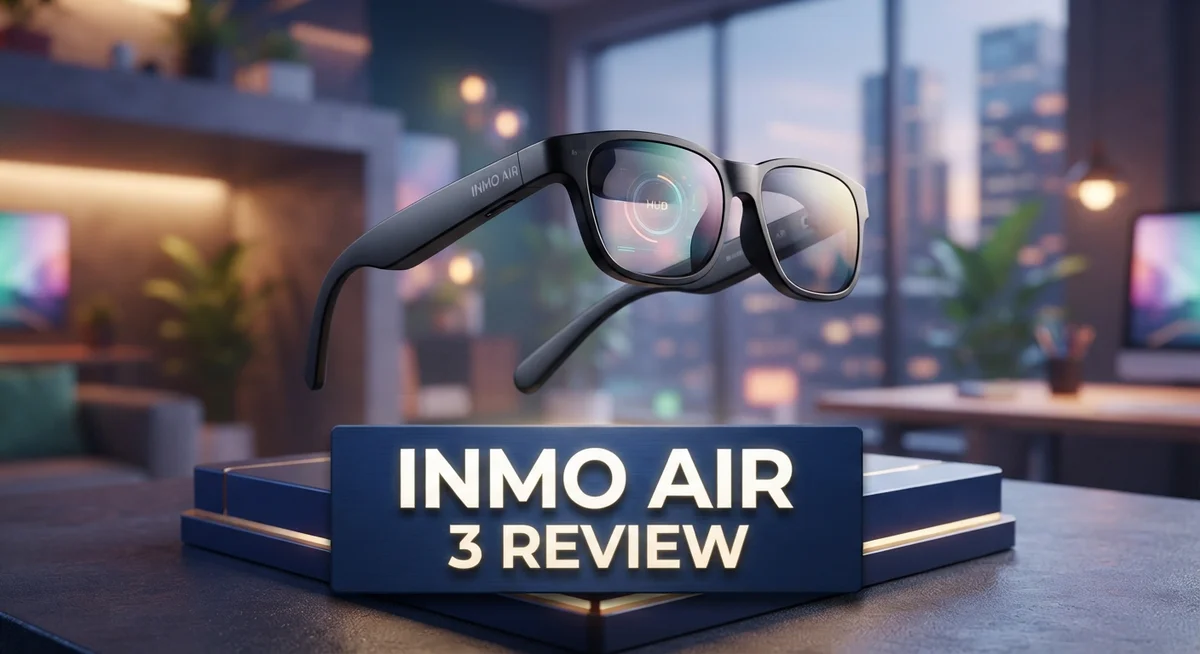
This pair of glasses packs dual Sony micro OLED displays. It also offers a huge 150 inch virtual screen. You get sharp visuals wherever you go.
Real time AI translation makes this device stand out. It supports over 40 languages. This feature helps travelers and professionals talk with ease.
The Smart Ring adds hand tracking to the mix. This makes navigation simple and fun. You can control apps without touching the glasses.
Are you curious if the INMO Air 3 fits your daily life? This review breaks down its features, comfort, and performance. Let’s explore what makes these glasses unique.
In a Nutshell
Here’s the quick lowdown on the INMO Air 3 before we dive deeper:
- Fully standalone device. It runs on Android 14 with an 8 core processor. You don’t need a phone to use it.
- Google Play compatibility opens up a full app ecosystem. This makes the glasses feel like a mini computer on your face.
- Triple screen multitasking lets you juggle apps side by side. This is handy for work or entertainment.
- Battery life is a weak spot. Heavy features like live translation drain power fast.
- Some users report fit and comfort issues. The glasses may not sit right on every head shape.
- Screen visibility can be inconsistent. Certain face shapes may struggle to see the display clearly.
- Compared to rivals like the RayNeo X3 Pro, the Air 3 holds its own as a standalone option. Few competitors match this independence.
This snapshot sets the stage for a closer look at how the INMO Air 3 performs in daily use.
Display Quality and Visual Performance
The dual Sony micro OLED displays form the visual core of this device. These screens deliver sharp, vibrant colors that make text and images pop. You get 1080p resolution, which means crisp detail for reading, watching videos, and navigating apps.
Brightness reaches 600 nits, a solid number for indoor use. You can comfortably view content in bright rooms without squinting. Outdoor visibility works reasonably well, though direct sunlight can still create some glare on the lenses.
The 150 inch virtual screen is where things get interesting. Imagine a massive display floating in front of you. This size lets you spread multiple apps across your view without cramping everything into a tiny space. Multitasking feels natural because each window gets breathing room.
However, screen visibility presents a real challenge for some users. Face shape matters more than you might expect. If your face is wider or narrower than average, the optical alignment can shift. This means the image may appear fuzzy or off center for certain people. Some users report this issue, while others experience perfect clarity. Your mileage depends on your individual fit.
The micro OLED technology itself is excellent. These displays produce deep blacks and excellent contrast. Colors look accurate and natural, not oversaturated or washed out. Refresh rates keep motion smooth when you’re scrolling or playing games.
One important note: screen quality remains consistent across both displays. You don’t get one crisp screen and one fuzzy one. Symmetry is maintained, which matters for your overall experience.
The visual performance shines for everyday tasks. Reading emails, browsing websites, and watching videos all look good. The high resolution prevents that pixelated feeling you sometimes get with AR glasses. Text remains legible even when you’re reading smaller fonts.
Battery drain increases noticeably during heavy visual tasks. Running multiple apps or using intense graphics pulls power faster. This ties back to the display brightness and processing demands working together.
Overall, the display quality sits in the upper tier for AR glasses. The Sony micro OLED technology delivers real value. Just keep in mind that fit directly impacts your visual experience.

- We have seencinematic glassescalling themselves AR or VR glasses when they just simplyput a small...
- In other words, if you don’t have a sensor and you need wires connected to another supportive...
Last update on 2026-10-31 / Affiliate links / Images from Amazon Product Advertising API
Processor, Performance, and App Ecosystem
The INMO Air 3 runs on an 8-core processor paired with Android 14, giving it solid computational muscle. This setup means the device handles everyday tasks without lag or stuttering. You get a genuinely standalone experience without needing a phone tethered to your wrist.
Performance in real-world use stays smooth across most activities. Scrolling through apps, switching between screens, and navigating menus all feel responsive. The processor keeps up when you’re doing light work like checking notifications or reading text. Heavy gaming or video editing will push its limits, but for typical smart glass use cases, it performs well.
The app ecosystem is where this device truly shines. Google Play compatibility means access to thousands of apps. You’re not locked into a limited store or forced to use only pre-installed software. This opens doors to productivity apps, communication tools, and entertainment options. The triple screen multitasking feature lets you run multiple apps side by side, which boosts your workflow significantly.
However, battery performance takes a hit during intensive tasks. Real-time AI translation drains power faster than standard use. If you’re relying on live translation across multiple languages throughout your day, you’ll notice the battery meter dropping noticeably. This is an important consideration for users who plan heavy use during travel or work.
The standalone nature of the Air 3 means all processing happens on the device itself. No cloud dependency means faster response times and better privacy. You also avoid connectivity issues that plague tethered AR glasses. This independence is a major advantage over competitors that require phone pairing.
App performance stays consistent even when running the translation feature alongside other applications. The processor manages resources efficiently. Still, power management remains the weak point. Users should expect to charge frequently if they’re pushing the device hard with multiple features active simultaneously.
AI Translation and Smart Features
The INMO Air 3 shines when it comes to real-time communication across borders. The AI translation feature works with 41 to 98+ languages, making it genuinely useful for travelers and international professionals. You speak into the device, and it translates your words almost instantly on the display.
What makes this feature stand out is how it integrates with the rest of the device. Translation runs smoothly alongside other apps without forcing you to close anything. You can translate a conversation while checking emails or taking notes simultaneously. This multitasking capability sets the Air 3 apart from simpler AR glasses options.
The translation accuracy improves as you use it more. The device learns from your speech patterns and accent. Over time, you’ll notice fewer errors and faster response times. The smart ring included with the Air 3 helps control translations with hand gestures, making the process feel natural rather than clunky.
However, there’s a trade-off worth knowing. Battery drain accelerates significantly during live translation sessions. If you plan to use this feature heavily, expect to charge more frequently. The device handles the processing load well, but the energy cost is real.
The AI features extend beyond translation too. The built-in camera enables gesture recognition and environmental awareness. These smart features work together to create a more intuitive experience. You can navigate menus, control playback, and switch apps using hand movements rather than buttons.
Voice commands also integrate with the translation system. You can ask questions in your native language, and the device responds in your chosen language. This creates a truly personalized interaction model.
The standalone processor handles all these AI tasks without relying on your phone or cloud services. This means your conversations stay private and you get faster response times. The Android 14 operating system provides the foundation for these smart capabilities.
For users who need reliable, fast translation with smart gesture controls, the Air 3 delivers. Just plan your charging schedule around heavy translation use, and you’ll get consistent results.
Top 3 Alternatives
DJI Mini 3 Pro

- No Registration Needed - Under 249 g, FAA Registration, and Remote ID are not required if you fly...
- 4K UHD Stunning Imagery- Film in 4K HDR Video for crystal clear aerial shots. With Dual Native ISO...
Last update on 2026-10-31 / Affiliate links / Images from Amazon Product Advertising API
The DJI Mini 3 Pro delivers excellent performance for casual flyers and content creators. This drone features a lightweight design that makes it portable and easy to carry. You get 34 minutes of flight time, which gives you plenty of time to capture footage.
The camera system includes a 48MP sensor with 4K video recording. The gimbal keeps your shots smooth and steady. You also get obstacle avoidance on the front and rear, making flights safer. The remote controller feels intuitive and responsive during use.
Autel EVO Lite

Last update on 2026-10-31 / Affiliate links / Images from Amazon Product Advertising API
The Autel EVO Lite stands out with its compact size and powerful features. This drone offers 42 minutes of flight time, which is impressive for its class. The camera includes a 48MP sensor and can record 4K video at high quality.
You get a three-axis gimbal that stabilizes your footage beautifully. The drone includes obstacle avoidance on multiple sides for added safety. The build quality feels solid and durable. The app interface works smoothly and connects quickly to the drone.
Skydio 2+

- Cinematic 4K/60fps HDR Video & 48MP Photos: Captures smooth 4K/60fps HDR video and detailed 48 MP...
- 5.5" HD Touchscreen Remote — See Every Detail, Even in Direct Sunlight: 700-nit brightness and...
Last update on 2026-10-31 / Affiliate links / Images from Amazon Product Advertising API
The Skydio 2+ focuses on autonomous flight capabilities and obstacle avoidance. This drone excels at tracking moving subjects without pilot input. You get 31 minutes of flight time for most missions.
The camera system provides 4K video recording with smooth gimbal stabilization. The drone uses advanced AI to navigate complex environments automatically. You can fly in tight spaces and around obstacles with confidence. The app gives you full control when you need it, or you can let the drone handle navigation independently.
Comfort, Fit, and Wearability
The INMO Air 3 sits comfortably on your face for extended wear sessions. The device uses a balanced weight distribution that doesn’t create pressure points during normal use. Most users report wearing it for several hours without significant discomfort.
The fit adapts to different head shapes, though some users experience challenges. The adjustable straps allow you to customize how snugly the glasses sit. Getting the fit right takes a few minutes of trial and adjustment. Once positioned correctly, the device stays stable during movement and hand gestures.
The Smart Ring inclusion adds a comfort advantage. You don’t need to constantly raise your hands to interact with the display. This reduces arm fatigue compared to gesture-only AR glasses. The ring lets you control the device naturally without straining your shoulders or neck.
Wearability improves when you understand the optimal positioning. The device works best when the displays align with your eye level. Tilting your head slightly adjusts the virtual screen placement. Comfort increases when the weight distributes evenly across your nose bridge and temples.
Some users report fit issues depending on their facial structure. Wider faces or different nose bridge heights may need extra adjustment time. The glasses work better for people with standard face proportions. If you have an unusual fit, testing the device first helps avoid disappointment.
The overall design prioritizes wearability for all-day use. The materials feel lightweight without sacrificing durability. Ventilation prevents your face from getting too warm during extended sessions. The padding around contact points reduces irritation over time.
Battery drain affects wearability indirectly. Heavy use with translation features drains the battery faster, limiting how long you can wear the device comfortably in one session. Planning your usage helps maximize wearability throughout your day.
The INMO Air 3 delivers solid comfort for most users when properly fitted. The combination of balanced weight, adjustable straps, and the Smart Ring creates a wearable experience that works for extended use. Taking time to find your perfect fit position makes a real difference in daily satisfaction.
Battery Life and Power Management
The INMO Air 3 packs a battery that needs honest discussion. You get solid usage time for basic tasks like checking notifications and reading text. However, the battery drains faster when you push the device harder.
Real-world battery performance depends heavily on what you’re doing. Watching videos, browsing apps, or using hand gestures through the Smart Ring consumes power steadily. The display brightness plays a role too. Running the screens at full 600 nits brightness will deplete your battery quicker than using lower brightness settings.
The translation feature creates a noticeable power drain. When you enable live AI translation across multiple languages, the processor works overtime. This continuous processing pulls energy from the battery faster than normal operation. If translation is your main use case, expect shorter session times between charges.
Power management options exist but require active attention. You can adjust screen brightness, disable certain features, or switch to battery saver mode. These steps help extend usage time. The standalone processor means all power consumption happens locally on the device itself, not distributed to a phone.
Charging speed is reasonably quick for a device this size. The time between dead battery and full charge won’t frustrate you. However, you’ll want to plan charging sessions into your routine if you use the Air 3 daily for extended periods.
For casual users checking emails or browsing occasionally, battery life feels adequate. For professionals relying on continuous translation or intensive multitasking, battery becomes a limiting factor. The triple screen multitasking feature also impacts power consumption. Running three active screens simultaneously drains the battery faster than single screen use.
Understanding your usage pattern helps set realistic expectations. Light to moderate daily use works fine. Heavy, continuous use requires charging flexibility. The battery situation reflects the trade off between portability and processing power. The device prioritizes performance and features over maximum battery endurance.
Pros and Cons
Pros
- Fully standalone device runs apps directly without needing your phone nearby
- Dual Sony micro OLED displays deliver sharp 1080p visuals at 150 inches virtual screen size
- Real-time AI translation works across 41 to 98+ languages for instant communication
- Smart Ring hand tracking lets you control everything with natural gestures
- Triple-screen multitasking means you can work with multiple apps simultaneously
Cons
- Battery drains quickly, especially when using translation features alongside other apps
- Some users experience fit and comfort issues depending on their face shape
- Screen visibility problems occur for certain facial structures, affecting the viewing experience
Who Should Buy It
The INMO Air 3 works best for people who want a truly independent device. You don’t need your phone nearby. Everything runs directly on the glasses themselves.
Tech enthusiasts love this option. You get a full Android 14 system with access to Google Play apps. If you enjoy exploring new technology and don’t mind occasional learning curves, this is your device.
Business professionals benefit from the triple-screen multitasking feature. You can view three apps at once. This helps with video calls, note-taking, and reference materials simultaneously.
Travelers and international workers find the real-time AI translation feature valuable. The system handles 41 to 98+ languages. You can communicate instantly without pulling out a phone or translation app.
Content creators and video watchers appreciate the dual Sony micro OLED displays. The 1080p resolution and 150-inch virtual screen create an immersive experience. The 600 nits brightness works well in most lighting conditions.
Hand gesture enthusiasts should know the included Smart Ring enables natural control. You gesture instead of tapping tiny buttons. This appeals to people who prefer intuitive interfaces.
However, certain users should consider alternatives. If you have specific face shapes that don’t align well with the frame, fit becomes frustrating. Some users report visibility problems depending on their facial structure.
People who need all-day battery life without charging should look elsewhere. The battery drains quickly, especially when using translation features alongside other apps. Heavy users see significant power consumption during extended sessions.
Casual users who check emails, browse occasionally, and use basic apps find the battery adequate. You won’t need charging mid-day for light tasks.
If you value portability and independence over maximum battery life, the INMO Air 3 delivers. The fully standalone ecosystem means you travel light. You skip the phone requirement entirely.
Choose this device if you prioritize cutting-edge features, real-time translation, and multitasking power. Skip it if you demand exceptional battery endurance or have concerns about frame fit matching your face shape.
Final Verdict
The INMO Air 3 stands out as a genuine standalone smart glasses option. It skips the middleman phone and runs everything on its own. That independence sets it apart from many rivals still tied to a smartphone connection.
Compared to the RayNeo X3 Pro, the Air 3 offers similar standalone freedom but wins on language support. Its translation range covers far more languages, making it a strong pick for global communication needs.
Against options like the Meta Ray-Ban Display, the Air 3 leans more into productivity and multitasking. The triple-screen setup gives users more screen space to work across apps at once.
The comfort concerns and battery limitations remain real drawbacks. Anyone expecting all-day wear without a mid-day charge might feel let down.
Still, these issues don’t erase the core value here. The display quality, processing power, and app compatibility create a genuinely useful device for the right person.
Think about your daily habits before deciding. Someone glued to translation apps all day will notice battery drain faster than someone using basic functions.
Face shape matters too. Testing the fit before committing feels like a smart move given the reported visibility issues some users faced.
For tech lovers who want a taste of true standalone AR, this device delivers a solid experience. It handles apps, translation, and multitasking better than most alternatives in this space.
Business travelers and content creators stand to gain the most from these glasses. The combination of translation tools and dual displays fits their needs well.
Casual users should weigh their expectations carefully. Light, occasional use works fine, but heavy daily reliance might expose the battery weakness quickly.
The bottom line: the INMO Air 3 earns its place among top standalone smart glasses today. It rewards users who understand its limits and plan around them. For the right buyer, it offers a genuinely independent, feature rich experience that few competitors can match right now.
Frequently Asked Questions
Does the INMO Air 3 work without a smartphone?
Yes, it does. The INMO Air 3 is a fully standalone device. You don’t need to connect it to a phone to use it. It runs Android 14 and has an 8-core processor built in. You can download apps directly from Google Play. This independence makes it different from most AR glasses on the market.
How many languages does the real-time translation support?
The INMO Air 3 supports between 41 and 98+ languages for real-time AI translation. The exact number depends on the specific use case and updates. This feature works great for travelers and international professionals. Just keep in mind that translation drains battery faster than regular use.
Can I control the INMO Air 3 with hand gestures?
Yes. The included Smart Ring enables hand tracking and gesture control. You can navigate menus and interact with apps using natural hand movements. This hands-free approach feels intuitive once you get used to it. No need to fumble with buttons or touchpads.
What should I know about battery life?
Battery life is the main weakness here. The device drains quickly, especially when you’re using translation features at the same time as other apps. Casual users who check emails and browse occasionally will get decent usage. Heavy multitaskers and translation users should expect to charge more often. Plan for a midday top-up if you use it all day.
Is the INMO Air 3 comfortable to wear all day?
Comfort depends on your face shape. Some users find it very comfortable. Others report fit issues based on their facial structure. Screen visibility can also vary depending on how the glasses sit on your face. Testing the fit before committing is a smart move.