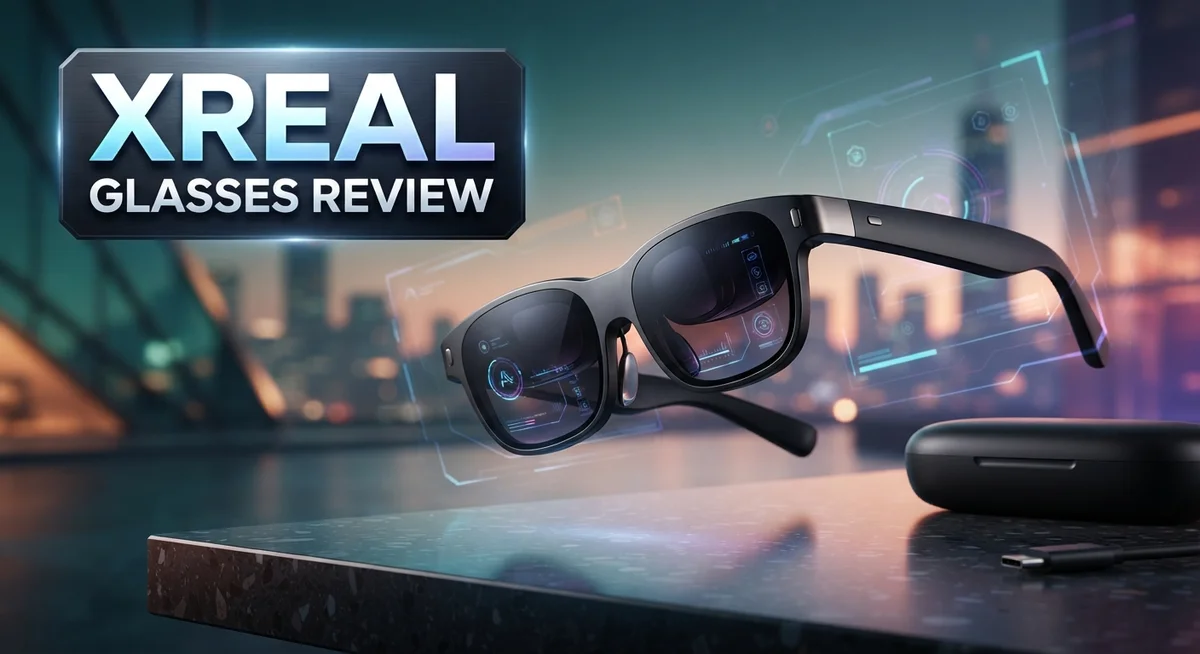
XREAL Glasses Review: Features, Performance & Comparison
Smart glasses are changing how we watch, work, and play. XREAL glasses sit at the front of this shift. They promise a big screen experience without a big screen.
But do they really deliver? That’s what this review will answer.
XREAL packs a lot into a small frame. You get a 120Hz refresh rate, sharp color accuracy, and a peak brightness of 5000 nits. The X1 chip adds head tracking for a more natural viewing feel.
Sound impressive? It is. But specs only tell half the story.
Comfort, fit, and real world use matter just as much. Some users love the crisp display. Others find the fit awkward or the field of view too narrow.
This review breaks down everything you need to know. We will look at display quality, comfort, and daily performance. We will also compare XREAL to rivals like Rokid and Viture.
By the end, you will know if these glasses fit your lifestyle. Let’s dive into what makes XREAL glasses stand out, and where they fall short.
In a Nutshell
XREAL glasses bring a lot to the table. Here is the quick rundown before we dig deeper.
-
Display quality shines with sharp visuals, strong color accuracy, and a bright 120Hz screen. Movies and games look crisp and full of contrast.
-
Comfort holds up during long sessions. The thin optics feel light on your face, even after hours of use.
-
Motion handling improves on the One Pro model. Turning your head causes less blur than older versions.
-
Tethering is required at all times. You must stay connected to your phone, laptop, or Steam Deck through USB-C. There is no standalone mode.
-
Fit can feel bulky. Some users find the lenses awkward, and prescription inserts tend to stick out more than expected.
-
Daylight use struggles. Bright outdoor settings make the screen harder to see clearly.
-
Field of view stays limited. A few users also report mild headaches or motion sickness during extended sessions.
XREAL delivers strong visuals and solid comfort. But tethering and fit issues remain real tradeoffs to consider.
Display Quality and Optical Performance
The display on XREAL glasses stands out as one of its strongest features. You get a crisp, contrast-rich image that makes everything pop on screen. The 120Hz refresh rate keeps motion smooth when you’re scrolling or watching video. This high refresh rate matters because it reduces the jittery feeling you might get with slower displays.
Brightness reaches 5000 nits at peak levels. This means the screen stays visible even in moderately lit indoor spaces. However, direct sunlight creates challenges. The glasses struggle in bright daylight conditions, which limits where you can comfortably use them.
Color accuracy receives certification from TÜV Rheinland, a trusted testing organization. This certification covers not just color precision but also Low Blue Light and Flicker-Free performance. These features matter if you wear the glasses for hours at a time. Your eyes experience less strain from the reduced blue light emission.
The optical system uses thin optics to deliver this performance. That design choice helps keep the glasses relatively compact. You notice this when you compare them side by side with bulkier AR competitors. The trade-off appears in the limited field of view.
Field of view differs between models. The XREAL One offers 50 degrees, while the One Pro expands to 57 degrees. Some users report that this narrower view triggers motion sickness or headaches during extended sessions. Your mileage varies here depending on your sensitivity to restricted peripheral vision.
The One Pro model adds another advantage: better motion handling. When you turn your head quickly, the image stays locked in place without blur. The X1 chip with 3DoF tracking makes this possible. Standard One users still get solid performance, but the Pro version smooths things out further.
Prescription inserts are available if you need vision correction. The downside is that these inserts protrude from the lens area. This affects both the aesthetics and comfort during wear. It’s worth noting if you rely on glasses for daily vision correction.
Overall, the display quality and optical performance deliver where it counts most. Sharp visuals, accurate colors, and smooth motion make content look great indoors. The limitations appear mainly in bright environments and the narrower viewing angle.

- XREAL's Self-Developed X1 Spatial Computing Chip: Delivers Native 3DoF tracking with ultra-low 3ms...
- The New Optic Engine-X-Prism Optics: XREAL’s advanced lens and projection system—ultra-slim...
Last update on 2026-10-24 / Affiliate links / Images from Amazon Product Advertising API
Design, Comfort, and Wearability
XREAL glasses sit comfortably on your face during extended use. The frames feel light, and the weight distribution helps reduce fatigue. Many users report wearing them for hours without significant discomfort. This matters because AR glasses need to work during real sessions, not just quick demos.
The physical design uses a sleek frame that keeps the overall profile minimal. The lenses appear thin thanks to the optical engineering. However, the lens size does create a bulky appearance compared to regular eyeglasses. Some people find this noticeable when wearing them in public spaces.
Fit quality has trade offs. The glasses sit securely on your nose and ears, which prevents slipping during movement. The adjustment points allow customization for different head shapes. Yet the fit can feel awkward for some users, particularly those with wider faces or sensitive nose bridges.
If you wear prescription glasses, XREAL offers insert options. These prescription lenses mount inside the frames. One drawback emerges here: the inserts protrude slightly, which affects the overall aesthetic. The mounting system works reliably, but the added bulk becomes noticeable.
Weight distribution stays balanced across the frame. The X1 chip sits integrated into the structure without creating hot spots. This engineering choice keeps your temples from aching during longer wear sessions. The battery considerations also factor into comfort, though tethering to your device means you carry the power source separately.
Daylight performance reveals a comfort limitation. The 5000 nits brightness helps indoors, but outdoor use becomes problematic. Sunlight washes out the display, making extended outdoor wear uncomfortable. You will struggle to see the screen clearly on bright days, which affects how you can use these glasses in real world settings.
Motion handling improves your experience on the One Pro model. The reduced motion blur when you turn your head prevents dizziness. Standard XREAL One users may experience mild discomfort during rapid head movements. This distinction matters if you plan active use rather than stationary viewing.
The overall wearability strikes a balance. Comfort during typical indoor sessions feels solid. The bulky lens design and outdoor limitations require realistic expectations. XREAL glasses work best as a personal device for controlled environments rather than all day outdoor wear.
Connectivity and Device Compatibility
XREAL glasses connect through USB-C tethering, which means you need a compatible device nearby at all times. This connection requirement shapes how and where you can use these glasses.
The glasses work with multiple device types. Your smartphone, laptop, or Steam Deck can all serve as the power source and content provider. The USB-C connection transfers both power and video data simultaneously. This keeps your hands free while you watch or work.
Smartphone compatibility covers most modern phones with USB-C ports. Android devices work seamlessly with XREAL’s ecosystem. iPhones with USB-C adapters can also connect, though the experience may vary. The glasses recognize your phone instantly once plugged in.
Laptop and desktop support opens broader possibilities. Windows and Mac computers both work with XREAL glasses. You can extend your display, mirror your screen, or use the glasses for gaming. The connection remains stable during video calls, streaming, and productivity tasks.
Steam Deck integration appeals to portable gaming fans. The glasses connect directly to your Steam Deck via USB-C. Gaming becomes more immersive on the larger virtual display. Frame rates stay consistent even during demanding titles.
The constant tethering requirement has real implications. You cannot move far from your device without disconnecting. The USB-C cable limits your range to its length, typically around 6 feet. Wireless connectivity is not available on current XREAL models.
Battery considerations matter for mobile use. Your phone or device drains faster when powering the glasses. Longer sessions require a power bank or nearby outlet. This tethering setup works best in stationary situations like your desk or couch.
Compatibility extends to various apps and platforms. Video streaming services, productivity software, and games all display on the glasses. Your existing apps work without modification. The glasses simply act as an external display.
The USB-C requirement does eliminate some flexibility. You cannot freely move between rooms without managing cables. However, the direct connection ensures stable performance and consistent power delivery. For users who stay in one location, this limitation barely matters. Mobile users may find the tethering inconvenient.
Top 3 Alternatives
Meta Quest Pro

- Meta Quest Pro unlocks new perspectives in work, creativity, and collaboration.
- Multitask with ease with multiple resizable screens so you can organize tasks, work on new ideas or...
Last update on 2026-10-24 / Affiliate links / Images from Amazon Product Advertising API
Meta Quest Pro offers a powerful alternative for users wanting immersive AR and VR experiences. This device features high-resolution displays and advanced tracking technology. The controllers provide precise hand movement detection in virtual spaces.
The headset delivers excellent performance for gaming, social apps, and professional use. You get access to Meta’s large app library. The device supports both standalone and PC-connected gameplay. Battery life runs approximately two hours on a full charge.
Apple Vision Pro

- CARDBOARD MONKENAUT — Get our best Gorilla Tag bundle yet with this Amazon exclusive deal...
- NEARLY 30% LEAP IN RESOLUTION — Experience every thrill in breathtaking detail with sharp graphics...

Last update on 2026-10-24 / Affiliate links / Images from Amazon Product Advertising API
Apple Vision Pro brings a premium spatial computing experience to your hands. This headset uses advanced eye tracking, hand recognition, and voice control. You interact with apps by looking, tapping, and speaking naturally.
The device features exceptional display quality with high pixel density. Integration with Apple’s ecosystem makes it seamless if you own iPhones, iPads, or Macs. The visionOS platform offers unique apps designed specifically for spatial computing. The eye tracking system works remarkably well for navigation and selection.
HTC Vive XR Elite

- Precision Virtual Reality Tracking: Meet the VR tracker for standalone devices. Use a VIVE Wireless...
- Compatibility: Get full-body tracking on HTC VIVE XR Elite and VIVE Focus Series, with support for...
Last update on 2026-10-24 / Affiliate links / Images from Amazon Product Advertising API
HTC Vive XR Elite combines VR and AR capabilities in one device. The headset features dual displays with high refresh rates for smooth motion. Full-body tracking support works with additional sensors for enhanced immersion.
This device excels in professional applications like training, design, and simulation. The controllers offer haptic feedback for realistic interaction. You can run it standalone or connect to a PC for demanding applications. The field of view provides an immersive visual experience without feeling cramped.
Each device serves different needs. Meta Quest Pro suits budget-conscious enthusiasts. Apple Vision Pro appeals to Apple users seeking premium features. HTC Vive XR Elite works best for professionals needing mixed reality capabilities.
Real-World Performance and Use Cases
XREAL glasses shine in specific real world scenarios where their strengths matter most. Video streaming and media consumption work exceptionally well. The 5000 nits peak brightness delivers vibrant colors, and the TÜV Rheinland certified color accuracy makes movies and shows look sharp. You’ll notice crisp contrast even during fast action scenes.
Professional work represents another strong use case. Designers, architects, and engineers benefit from the accurate color reproduction. The thin optics keep the image clear for detailed tasks. Laptop tethering through USB-C means you can extend your display for productivity apps without carrying extra monitors.
Gaming on Steam Deck performs surprisingly well with XREAL. The 120Hz refresh rate reduces motion blur significantly on the One Pro model. You get a portable gaming setup that feels immersive without needing a TV or external screen. The glasses handle fast paced games smoothly.
Content creation workflows improve with these glasses. Video editors and photo professionals appreciate the certified color accuracy. You can review footage on location or in the field. The display quality catches details that matter for quality control.
Remote work and virtual meetings take on new dimensions. You connect to your laptop via USB-C and gain an extended workspace. Multiple windows stay visible without screen switching. Your colleagues see you on camera normally while you experience an expanded digital environment.
However, real world limitations emerge in specific situations. Outdoor use suffers significantly. The 5000 nits brightness sounds impressive, but daylight washes out the display. You’ll struggle to see content clearly in bright sunlight. This restricts outdoor productivity and limits portable use during daytime hours.
Motion sickness and headaches affect some users during extended sessions. The limited field of view, especially on the standard One model, contributes to this issue. You might feel confined after wearing them for hours straight.
The constant USB-C tethering requirement creates practical challenges. You stay physically connected to your device. This works fine at a desk but feels restrictive during active movement. Battery drain on your phone or laptop accelerates with these glasses drawing power continuously.
Best results come from stationary or semi stationary use cases. Desktop work, media consumption, and controlled gaming environments showcase what XREAL does best. Mobile and outdoor scenarios reveal where the technology still needs improvement. Your actual use case determines whether these glasses deliver the experience you need.
Pros and Cons
Pros
- Display quality stands out with crisp contrast, excellent color accuracy, and TÜV Rheinland certifications for low blue light and flicker-free performance
- Comfortable extended wear thanks to balanced weight distribution and a sleek frame design that stays minimal on your face
- 120Hz refresh rate with 5000 nits peak brightness delivers smooth visuals and sharp image clarity
- One Pro model reduces motion blur when you turn your head, improving the viewing experience
- Works with smartphones, laptops, and Steam Deck through USB-C connectivity
Cons
- Requires constant USB-C tethering to a device, which limits portability and creates practical challenges during use
- Poor daylight performance means the glasses struggle in bright outdoor environments
- Bulky lens design and awkward fit feel cumbersome, and prescription inserts protrude noticeably if you need vision correction
- Limited 50° field of view (57° on One Pro) can trigger motion sickness or headaches during extended sessions for some users
Who Should Buy It
XREAL glasses work best for people who spend significant time at a desk or in one place. If you move around constantly, these glasses won’t suit you well since they need a USB-C cable connected to your device at all times.
Content creators and professionals benefit most from XREAL. Video editors, designers, and developers appreciate the crisp display and excellent color accuracy. The 120Hz refresh rate keeps visuals smooth during detailed work. TÜV Rheinland certifications mean your eyes stay comfortable during long sessions.
Gamers who own a Steam Deck find real value here. The glasses transform portable gaming into an immersive experience. The One Pro model reduces motion blur when you move your head, making gameplay feel more responsive. However, if you get motion sickness easily, test them first since some users report headaches during extended sessions.
Remote workers benefit from the large virtual screen experience. Virtual meetings and multi-window workflows become easier to manage. You can position apps and documents exactly where you want them. This works especially well if your home office stays relatively stationary.
Media enthusiasts who watch movies, shows, or read on their devices will appreciate the display quality. The 5000 nits peak brightness ensures sharp images. Low blue light certification protects your eyes during evening viewing sessions.
You should skip XREAL if you need true portability. The constant tethering requirement means you can’t walk around freely. Your smartphone or laptop must stay within cable reach. If you work in different locations throughout the day, the setup becomes impractical.
People with small faces might experience fit issues. The bulky lenses and awkward fit frustrate some users. Prescription insert users report that the inserts protrude awkwardly. Try them on first if you wear glasses.
Outdoor workers should look elsewhere. XREAL performs poorly in daylight. The 50 degree to 57 degree field of view feels limited compared to your natural vision. This creates a tunnel vision effect that some users find disorienting.
Ultimately, buy XREAL if you work stationary, value display quality, and connect to USB-C devices regularly. Skip them if you need freedom of movement, work outdoors frequently, or suffer from motion sensitivity.
Final Verdict
XREAL glasses deliver a strong display experience for anyone who wants a personal screen on the go. The build quality feels solid and the visuals impress most testers.
Still, this gadget fits a specific type of user. It shines when you sit at a desk, connect to a laptop, or plug into a Steam Deck for a session.
Casual buyers who want quick, grab and go tech might feel let down by the tethering requirement. That single wire changes how you use these glasses every single day.
Compared to Rokid or Viture, XREAL holds its own on color accuracy and brightness. Each brand has small trade offs in fit, weight, or field of view, so testing before committing helps.
If you already own compatible devices and spend hours on screen based tasks, this pair earns its place in your bag. The optics reward you with sharp text and vivid color that many rivals struggle to match.
People new to smart glasses should set expectations early. This is a first generation type of product, and small quirks like insert protrusion or fit adjustments come with that territory.
We think XREAL earns a solid recommendation for a clear group: desk workers, gamers with a Steam Deck, and media fans who travel light with a laptop. For them, the picture quality alone justifies the switch from a normal screen.
Anyone who needs freedom from cables, or who works outdoors most of the day, should look at other wearable options instead. The tethered design simply does not match that lifestyle.
In short, XREAL glasses reward the right kind of user with a genuinely impressive viewing experience. They ask for a bit of patience with fit and setup, but they pay that back with display quality few competitors beat right now.
Think about your daily habits before you decide. If your routine matches what these glasses do best, you will likely walk away happy with the purchase.
Frequently Asked Questions
Do XREAL glasses work outdoors in bright sunlight?
XREAL glasses struggle in bright daylight. The 5000 nits peak brightness helps, but direct sunlight washes out the display. You’ll see the image clearly indoors or in shaded areas. Outdoor use becomes frustrating when sun hits the lenses directly. If you work outside or travel frequently in daylight, these glasses are not your best choice.
Can you use XREAL glasses without tethering to a device?
No. XREAL glasses require constant USB-C connection to function. They connect to your phone, laptop, or Steam Deck and pull power and data from that device. You cannot use them as standalone glasses. This tethering requirement limits how you move around. You’re essentially tied to your connected device, which works fine at a desk but creates challenges if you want to walk around freely.
What’s the difference between XREAL One and XREAL One Pro?
Both models share the same display quality and brightness. The key difference is the field of view. XREAL One offers 50°, while One Pro expands to 57°. The Pro model also reduces motion blur when you turn your head, making fast movements smoother. One Pro suits gamers and action-oriented users better. Choose One if you primarily watch content. Pick One Pro if you game or need wider vision.
Will XREAL glasses fit if I wear prescription lenses?
XREAL offers prescription inserts as an add-on. However, users report that these inserts protrude awkwardly from the frame. The fit becomes bulkier and less comfortable. If you need strong prescriptions, test the fit first before committing. Some people with smaller faces find the overall frame size already challenging, so prescription inserts compound the problem.
Are XREAL glasses better than Rokid or Viture options?
XREAL excels in color accuracy and peak brightness compared to competitors. The display quality is genuinely excellent. Rokid and Viture offer different trade-offs like better portability or different form factors. Your choice depends on your priorities. Need the sharpest colors and brightest image? XREAL wins. Want more portability or different features? Compare specs side by side with Rokid or Viture models.