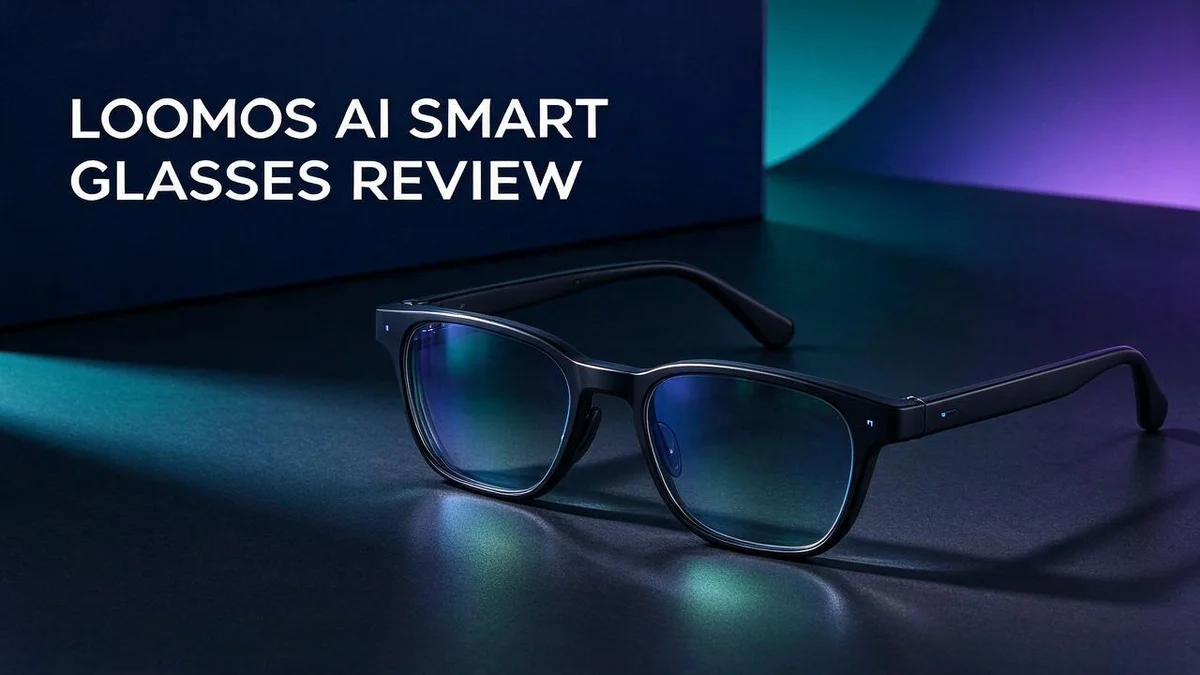
Loomos AI Smart Glasses Review: Camera, Audio, AI Features and Real-World Verdict
Smart glasses are finally getting fun. Loomos AI Smart Glasses want a spot on your face, and they bring some bold features.
The glasses pack a 16MP POV camera and open ear Hi Fi audio. GPT 4o powers the AI, and the frame weighs just 49g.
Some Reddit users say the camera beats Meta Ray Ban glasses for recording. Forbes and Arinsider call the glasses light and comfortable.
Still, the picture is not perfect. Meta has years of development behind its glasses, so Loomos may feel less smooth in daily use.
This review covers the specs, pros, cons, and rivals. You will learn if these glasses fit your routine.
In a Nutshell
-
Smart AI help: The glasses run on GPT-4o, so you can ask questions and get quick answers without grabbing your phone. They mix hands free use with AI, much like Meta’s Ray Ban line.
-
Light and comfy: They weigh only 49g. Forbes and Arinsider both describe them as comfortable for long wear.
-
Eye care built in: The lenses filter blue light. That helps if you spend many hours in front of screens.
-
Handy companion app: The app shows battery, network, and connection status. It also saves your WiFi networks, so setup feels simple.
-
Where it falls short: Meta Ray Ban glasses likely feel more seamless, because Meta has years of development behind them. Some Reddit users also say the battery looks bulky, but nobody has confirmed that.
-
Brand and launch: The maker, Sharge, has a mixed reputation among some users. The glasses launch on Kickstarter, so early backers should read fresh feedback first.
Key Features and Specs
Spec sheets tell part of the story. Here is how the key features work together in real life.
Think about where the camera fits in your routine. It suits quick clips during walks, travel, or casual outings. You can record a moment and stay present in it.
The open ear design changes how audio feels. You can listen to music or podcasts while still hearing traffic and people nearby. This balance matters for safety on busy streets.
Comfort for long days is another point to weigh. A light frame often feels less tiring after hours of wear. Try them on for a while before you decide.
The anti blue light lenses suit people who look at screens often. Office workers and night owls may appreciate this feature. It is a helpful extra, though it is not a medical treatment.
Who benefits most from these features? Content creators, commuters, and travelers often find the most use in hands free recording. Casual users may enjoy using them for quick tasks.
Battery life deserves a close look too. Some forum posts say the battery looks bulky. Check how long it lasts during your typical day before you commit.
Ask yourself how often you will use each feature in a typical week. Frequent use makes some specs matter more than others.
Spec checklist for buyers helps you compare options. Look at camera resolution, audio style, weight, and app features. Then match each spec to your own needs.
Final note: a spec list shows potential, not daily performance. Real use reveals the rest of the picture. Watch for user reviews that test these features in everyday settings.

- 3-in-1 AI Glasses: Enjoy ① AI Voice Assistant (Powered by ChatGPT, Gemini & Deepseek), ② Stylish...
- Free Talk Translation: Automatically detects and translates over 160 languages in real-time...
Last update on 2026-11-04 / Affiliate links / Images from Amazon Product Advertising API
Design, Weight and Comfort
Design shapes first impressions. You see the frame before you notice any feature. Good design also helps the glasses feel like normal eyewear.
The weight is a key detail. At 49g, the Loomos glasses aim for a light feel. Your nose and ears carry the load, so small changes matter. A light frame can reduce pressure spots.
Balance is just as important as total weight. Where the weight sits affects comfort. A heavy front can tug on the nose. Even weight spread along the temples often feels easier.
Battery placement may affect balance. Some forum posts say the battery looks bulky, though this claim is unconfirmed. A bulky section near the temple can change how the frame sits. It is worth a check.
Fit deserves a close look. Face shape, nose height, and head size all change comfort. Wear the glasses for an hour or two to test pressure points. Short tests reveal problems that quick tries miss.
A frame that feels light at first can feel heavy after hours. Notice how the frame feels after thirty minutes, not just after one minute.
Think about your daily routine. Long walks and travel days put comfort first. Short clips need less wear time, so the feel may matter less. Plan how many hours you wear them each day.
Design also affects how others see you. Some buyers want a frame that blends in with regular eyewear. Others prefer a bolder, tech style. Pick a look that suits your personal taste.
Overall, the Loomos glasses aim for a light build with comfort in mind. Balance, fit, and battery placement still deserve a check. Test them yourself before you decide.
16MP Camera and Recording Quality
A 16MP camera sounds impressive on paper. But megapixels only tell part of the story. The real test happens during daily life, so think about the places you record most.
The camera sits near your natural eye level. This angle helps clips feel like what you actually saw. Framing feels natural when you walk, look around, or sit at a table.
Bright sunshine often gives the best results. Indoor rooms, dim streets, and evening events may show more grain or softer detail.
Video stability matters on walks and trips. Quick head turns can blur footage, so slow movements usually look smoother.
Still photos work well for quick snapshots. You can capture a view, a meal, or a street sign without pulling out your phone.
Warm indoor lights can shift colors, too. Check skin tones and white walls before you trust a clip.
Storage deserves a thought as well. High resolution files fill memory faster, so plan to move your clips off the device often.
Short clips are easy to share. Longer recordings need more editing time, so trim them before posting.
Privacy matters when you record in public. Let people know when the camera is on, and respect their space.
Practical tip: Test a short clip before a big trip. Review sharpness, color, and audio on a large screen.
Keeping the lens clean makes a visible difference. A soft cloth can remove smudges that otherwise blur sharp detail.
Overall, the camera delivers strong detail for everyday moments. Your lighting and movement habits will shape the final results most.
Top 3 Alternatives
Ray-Ban Meta

- #1 SELLING AI GLASSES* – Tap into iconic style and advanced technology with Ray-Ban Meta, the...
- META AI – Get more done and stay connected without reaching for your phone with AI glasses powered...

Last update on 2026-11-04 / Affiliate links / Images from Amazon Product Advertising API
Ray-Ban Meta glasses look like classic everyday frames. Many people want style and smart features in one pair.
The built-in camera takes photos and short videos with one tap or a voice command. You can also play music and take calls through the open-ear speakers.
Amazon Echo Frames

- Customize or personalize your Echo Show 21 (2024 Release) with a plastic frame.
- Plastic frame snaps onto Echo Show 21 (2024 Release) for easy installation, no tools required.
Last update on 2026-11-04 / Affiliate links / Images from Amazon Product Advertising API
Amazon Echo Frames focus on voice help. They connect to Alexa, so you can check the weather, set reminders, or control smart home devices. The lightweight design feels comfortable for all-day wear.
These frames have no camera, which many people prefer for privacy. Music and calls come through discreet speakers near your ears.
Solos AirGo 3

- AUDIO SMART GLASSES powered by ChatGPT/Open AI, IP67 Rating and long battery life
- REALTIME LANGUAGE TRANSLATION with SOLOS Translate, powered by ChatGPT, supports 25 languages
Last update on 2026-11-04 / Affiliate links / Images from Amazon Product Advertising API
Solos AirGo 3 suit active people who want audio on the go. The frames stay secure during workouts, runs, or bike rides.
Built-in speakers deliver clear sound while you stay aware of your surroundings. Voice assistants respond quickly, and the glasses pair with your phone for calls and navigation prompts.
Each option fits a different daily routine. Think about how you plan to use your glasses before you decide.
Open-Ear Audio and GPT-4o AI Assistant
Sound matters just as much as the view. The open ear speakers rest near your ears instead of sitting inside them. You can enjoy a song or an AI answer while still catching a bike bell or a friend calling your name.
Hi Fi audio adds clear detail to music and podcasts. Bass may feel lighter than over ear headphones, so set your expectations early. Test a few tracks at home before you head out.
Sound can also leak at high volume. Others nearby may hear your music or replies. Keep the volume moderate in quiet places like libraries and trains.
The GPT 4o assistant turns the glasses into a voice first helper. You speak a question, and the answer comes through the audio. This works well when your hands carry bags or a coffee.
Try simple requests first. Ask for a quick fact, a short translation, or help with a sign you see. Short, clear sentences often get the best answers.
Background chatter can confuse the system. Find a quieter spot when you first test the feature. Windy days can also make replies harder to hear, so raise the volume a little.
Voice commands take practice. Early use may feel a little awkward. Most people find a natural rhythm after a few outings.
Think about privacy when you talk out loud in public. Keep sensitive questions for a private moment.
Overall, the audio and assistant pair well for people who want help without staring at a screen. Keep your expectations realistic, and you will likely enjoy the experience.
Companion App and Connectivity
Your phone becomes the control center. The companion app links your glasses to your phone. Open it before your first walk so you can check everything quickly.
Battery status appears right in the app. You can see how much charge remains before you head out. This small detail saves you from surprise shutdowns.
Network and connection status stay visible too. The app shows whether your glasses are linked. You can spot a dropped link in seconds.
Saved WiFi networks make setup easier. The app stores the networks you already use. Your glasses can reconnect to them without fuss when you return home.
Pairing takes just a few taps. Keep your phone close during setup. Follow the prompts and the glasses should appear quickly.
Check the connection before a big outing. A quick look at the status screen can prevent frustration. Think of it as a short checklist before a trip.
Reconnecting should feel simple when the app stays open. If the link drops, reopen the app and wait a moment. Keep the glasses charged so the connection stays stable.
Saved WiFi networks deserve a quick review now and then. Remove any network you no longer use, especially shared ones.
Your phone plays a big role in daily use. A strong phone connection helps the glasses stay responsive. Keep your phone software up to date for the smoothest results.
Reviews from the community are mixed on the maker. Some Reddit users say the maker, Sharge, has a poor reputation. Read recent feedback about app support before you decide.
Overall, the app keeps you in control. Battery, network, and connection status sit in one place. Good connectivity turns the glasses into a dependable everyday tool.
Battery Design and Kickstarter Value
The battery shapes your daily experience with Loomos AI Smart Glasses. Many buyers want a pair that lasts through a full day. Some Reddit users say the battery looks bulky, though that claim is not confirmed.
Bulk matters because comfort matters too. A heavier arm can feel strange after an hour of wear. The glasses weigh 49g, and reviewers often praise the light frame. Still, check how the battery sits on your head before you commit.
Plan your battery use around your day. Short outings need less power than a full day of recording. Heavy use of the AI assistant drains charge faster. Pack a small power bank for long trips.
Charging during small breaks also helps. Top up the glasses during lunch or while you work at your desk. Plugging in overnight keeps them ready for early mornings. This habit keeps them ready when you need them most.
Next, consider the Kickstarter launch. Backing a Kickstarter campaign lets early supporters get the glasses before a wider release. It also lets you follow the project as it develops. However, the final product may still change before delivery.
Watch for campaign updates. Creators often share test results, design changes, and shipping timelines. Regular updates show whether the project stays on track. They also reveal whether the battery design changes after testing.
Maker Sharge has a reputation that some users call poor. Read reviews from backers who already received their units. Their stories show how the team handles delays and support.
Smart buyers weigh the risks and the benefits together. Early access can feel exciting. Still, a careful check of the facts keeps your decision sound. Think about your own daily routine before you decide.
Pros and Cons
Pros
- The 16MP camera gives you a strong spec for capturing everyday moments.
- Reddit users say it beats older Meta glasses on camera and recording.
- At 49g, it feels light and comfortable to wear.
- It mixes hands free use with AI help, much like Meta smart glasses.
- It lets you record what you see from your own point of view.
Cons
- Meta smart glasses still feel more seamless to many users.
- Those glasses have years of development behind them.
- Strong specs do not always mean a smooth daily experience.
Who Should Buy It
Loomos AI smart glasses suit a specific kind of buyer. They work best for people who enjoy trying new tech early.
Early adopters often enjoy this kind of launch. They like testing fresh features and sharing feedback with the maker. If that sounds like you, these glasses may spark real excitement.
Students and creators may find good uses. A strong camera helps you film first person clips for school projects or social posts. Your footage feels natural because the view comes from your own eyes.
Frequent travelers could benefit too. Asking an AI assistant for directions or landmark facts feels easy when your hands stay free. You can keep moving through a busy airport or city street.
Open ear audio suits quiet commutes and busy streets. You can hear music or assistant replies while still noticing traffic, announcements, and people around you. That balance matters for safety on foot or on a bike.
People who want a polished product should wait. Some buyers want a smooth setup with zero surprises. This group may prefer a brand with a long track record.
Your comfort with setup matters too. If you enjoy tinkering with new gadgets, the early learning curve may feel fun. If you prefer plug and play tools, consider waiting.
Shoppers who read reviews before buying tend to feel more confident. Watch for hands on tests from trusted tech reviewers. Look for long term notes about comfort, sound quality, and daily reliability.
Think about your daily routine first. Ask yourself how often you would use voice help. Ask whether you want to record frequently or only now and then.
Final Verdict
Loomos AI Smart Glasses make a promising first impression. They pack AI help, open ear audio, and a camera into one light frame.
The GPT 4o assistant gives the glasses a clear purpose. You can ask questions without reaching for your phone.
The blue light filtering lens adds a small daily perk. It helps people who spend long hours on screens.
The companion app adds peace of mind. It shows battery, network, and connection status in one place.
My verdict: Loomos is a smart pick for curious buyers. It shows big ideas for a young product. It also carries real unknowns.
Software updates will matter a lot. AI features improve over time, so the maker’s support record counts.
Voice performance deserves a close look too. Good AI glasses must hear you clearly in noisy places.
Compared with Meta Ray Ban glasses, Loomos looks like the bolder challenger. Meta looks like the safer choice.
Check a few things before you back the project. Read recent backer comments. Watch real sample footage. Confirm the shipping plan.
Choose Loomos if you value camera power and enjoy trying new tech early. Your feedback may even shape future updates.
Choose a proven pair if you want zero friction from day one.
I see Loomos as a strong concept with room to grow. Final polish will decide its long term success.
Bottom line: Loomos AI Smart Glasses earn a cautious recommendation. They offer exciting features, and patient buyers may enjoy them. Keep your expectations realistic, and stay curious.
Frequently Asked Questions
Is the Loomos maker a trusted company?
Some Reddit users say the maker, Sharge, has a poor reputation. Read recent reviews and customer feedback before you back the project. This helps you judge how the team handles support and updates.
Does the battery last through a full day?
Some users say the battery looks bulky, though this has not been confirmed. Plan for regular charging if you film or ask the assistant often. A spare charger can help on long trips.
What can the GPT 4o assistant do for you?
The assistant can answer quick questions and share landmark facts. It works best for short, spoken requests when your hands are busy. Longer tasks may feel easier on your phone.
How can you check the glasses before you commit?
The companion app shows your battery, network, and connection status. It also saves your wireless networks, so you do not need to reconnect each time. Watch a demo of the app screens to see if they feel clear and simple to use.