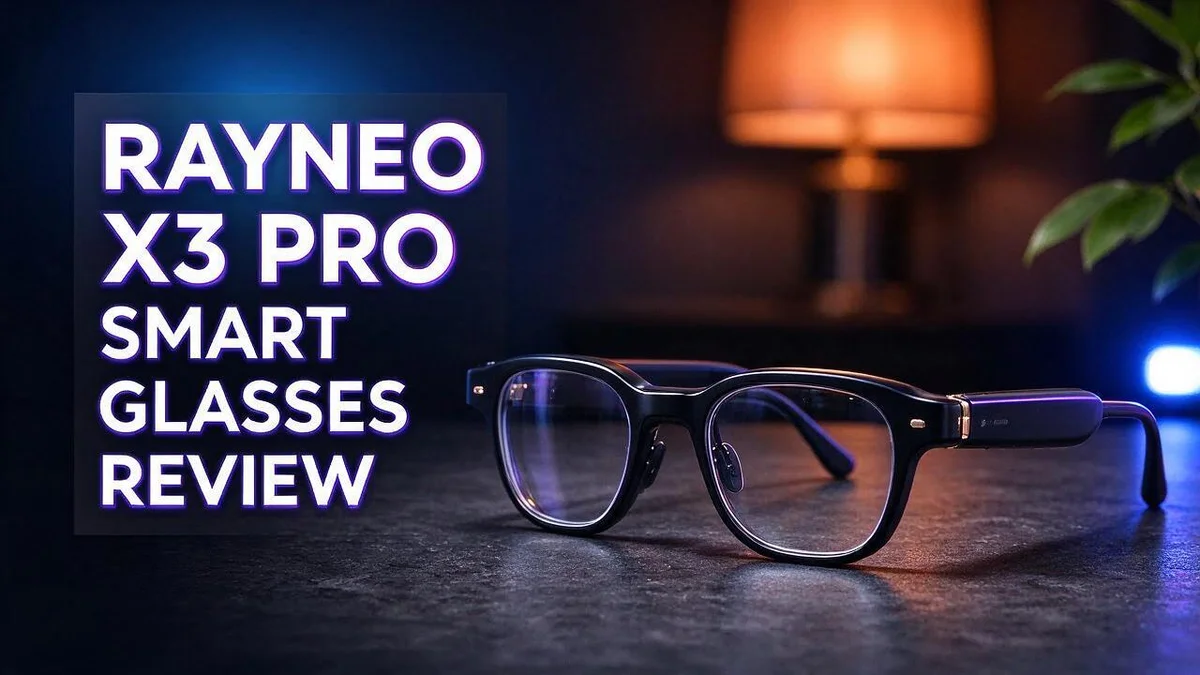
RayNeo X3 Pro Smart Glasses Review: MicroLED Display, AI Features and Real-World Verdict
Smart glasses are finally getting exciting. The RayNeo X3 Pro puts a full color display right in front of your eyes.
Its binocular MicroLED lenses project a 43 inch virtual screen. Dual 12MP cameras capture your point of view. A Snapdragon AR1 Gen 1 chip runs everything on its own.
Google Gemini AI adds real time translation, heads up navigation, and transcription. You get help without pulling out your phone.
Early reviewers like the bright interface and the comfortable fit. One reviewer ranked it first on their smart glasses list after about a month. Others call the design a bit nerdy and mention a few tradeoffs.
We tested what matters most. Then we compared it with rivals from Meta and XREAL. Let’s see if these glasses deserve a spot on your face.
In a Nutshell
-
Standalone power: The glasses run on a Snapdragon AR1 Gen 1 processor. They work as a standalone device, so you get core features on your face.
-
Camera setup: Dual 12MP cameras capture your point of view. SLAM tracking helps the glasses understand the space around you.
-
Brightness numbers: Reports cite 2,500 nits for the display and up to 6,000 nits for the interface. That helps text stay readable in bright places.
-
Resolution: The screen runs at 640 x 480 pixels. Expect clear, simple visuals rather than cinema level detail.
-
Tradeoffs: Reviewers mention unspecified tradeoffs. One reviewer called the design “nerdy.” Style fans may want to try them on first.
-
Competition: One reviewer ranked these glasses first on their smart glasses list after about a month. Rivals include Oakley Meta, XREAL, HTC VIVE AI glasses, and Meta Display.
Display Quality and Brightness
Display quality often decides whether smart glasses feel useful or frustrating. The RayNeo X3 Pro uses a see through screen, so you still see the room around you. That blend changes how you judge clarity.
Text readability matters most. Small words can look soft on any screen this size. Short messages, icons, and map arrows work well. Long reading sessions may feel tiring for your eyes.
Indoor and outdoor use feel different. Strong sunlight can make any see through display harder to read. Shade from a hat or a cloudy sky helps you see details more clearly. Test the glasses in the place you plan to use them most.
Color and contrast deserve attention too. Full color content can look lively when the scene has dark backgrounds. Bright white backgrounds may look less crisp against the real world. Watch a short video clip before you decide.
Eye comfort plays a big role. Short sessions often feel easier on the eyes than long movie nights. Take breaks every twenty minutes. Your eyes will thank you during longer tasks.
The screen should feel natural. A good display fades into the background after a few minutes. You stop noticing the frame and focus on the content. That is the sign of a display that works well for daily use.
Keep your expectations realistic as you read the reviews. Early impressions often come from short demos. Longer tests reveal how the screen handles glare, motion, and text over time.
Quick checklist for your own test. Read a page of small text. Watch a moving clip. Look at the screen in both dim and bright light. Notice how long your eyes feel fresh.
A clear display makes the whole experience more enjoyable. Pick the glasses that suit your daily routine. Your eyes and your habits should guide the final choice.

- World's First Dolby Vision AR Glasses System: Experience cinematic HDR with Dolby Vision when paired...
- 59° FOV with 267'' Equivalent Giant Display: See more of the virtual display with an expansive...
Last update on 2026-10-31 / Affiliate links / Images from Amazon Product Advertising API
Design, Comfort and Wearability
Good design starts with how the glasses sit on your face. Most people wear them for hours each day, so small details matter a lot.
The frame looks close to regular eyewear, which helps it feel familiar. Reviewers describe the style as nerdy, and that label fits the bold, techy shape. Some people will love that look, while others may prefer something more subtle.
Comfort depends on balance and weight. A frame that feels light on the nose and ears helps you forget you wear it at all. Early testers said the RayNeo X3 Pro felt comfortable during their trial sessions.
A short demo only shows the first impression. It does not reveal how the glasses feel after a full afternoon. That gap matters most for people who plan long workdays.
Long wear often brings new issues. Temple arms can press behind the ears over time. Nose pads may leave marks on some faces, and tight pressure can cause headaches for certain users.
Weight also changes how the glasses move with you. Heavier frames can slide down when you look at your feet or tilt your head. A balanced design stays put during walks, commutes, and quick head turns.
Fit depends heavily on face shape. Wide faces, narrow noses, and different ear heights all change the result. Trying the glasses on in person is the best way to check before daily use.
Appearance matters too for everyday wear. Smart glasses should blend into casual outfits and office settings. A frame that looks normal makes it easier to wear in meetings, stores, or while traveling.
Heat deserves a look as well. Any glasses that sit close to the temples may feel warm after extended use. Check how the arms and hinges feel during a longer test.
Overall, the RayNeo X3 Pro feels like a promising step for everyday wearable tech. Its design suits short trials well, but longer tests give a clearer answer. Take time to check the fit before you decide.
AI, Cameras and Smart Features
Gemini gives the glasses a helpful voice. The RayNeo X3 Pro runs Google Gemini AI, so you can ask questions hands free. Quick answers arrive while your attention stays on the world around you.
Real time translation is a standout feature. Signs, menus, and spoken words can appear in your language. This helps most when you travel somewhere you do not speak the local language.
Heads up navigation keeps directions in your line of sight. You glance ahead instead of looking down at a map. Many people find this makes city walks feel less stressful.
POV capture makes your footage feel personal. You record moments from your own point of view, just as you see them. These clips often feel more natural than shots taken with a phone held at arm’s length.
Transcription turns spoken words into written text. Students can follow a lecture without writing every line. Professionals can review meeting notes later and focus on the discussion.
Learning the controls takes a little practice. Most people feel comfortable after a few sessions with the AI features. Patience helps you find the tools you use most often.
Sharing clips works best when you plan ahead. Trim your favorite moments before posting so viewers stay engaged. A short clip often tells a story faster than a long recording.
Using several features at once may affect how long the glasses last between charges. Plan your sessions around the tasks that matter most to you.
Recording people raises privacy questions. Tell others when you capture video or audio. Respect builds trust, and it keeps conversations comfortable for everyone around you.
The smart features give these glasses real everyday value. AI tools work best when you learn their strengths and use them with care.
Top 3 Alternatives
Xreal Air 2

- 【ULTRACLARITY 3.0 - THE CLASSIC, EVOLVED, SHARPER FROM EDGE TO EDGE】 UltraClarity 3.0 takes...
- 【A 146-INCH XR SCREEN FOR GAMING, TRAVEL & WORK】 Turn compatible USB-C video-output devices into...
Last update on 2026-10-31 / Affiliate links / Images from Amazon Product Advertising API
Xreal Air 2 gives you a large screen view while you stay light on your feet. It works well for movies, web browsing, and long work sessions. The setup is simple, so new users can start watching within minutes.
The frames feel light and comfortable on the face. Many people enjoy the clear picture and the plug and play connection with compatible devices. It makes a good choice for anyone who wants a private screen on the go.
Even Realities G1

- XREAL's Self-Developed X1 Spatial Computing Chip: Delivers Native 3DoF tracking with ultra-low 3ms...
- The New Optic Engine-X-Prism Optics: XREAL’s advanced lens and projection system—ultra-slim...
Last update on 2026-10-31 / Affiliate links / Images from Amazon Product Advertising API
Even Realities G1 focuses on quiet, everyday use. It looks like regular eyewear, so it fits into daily routines without drawing attention. Users can see notes, reminders, and quick updates right in their view.
This pair suits people who want helpful features without a bulky display. It keeps things simple and calm. Wearers often say it feels natural from the first day.
Viture Pro

- 【Translucent Form Factor】VITURE Pro Neckband features an ergonomic and sleek retrofuturistic...
- 【Native AI Tools & Voice Assistant】Say “Hey, Vizard!” to unlock the convenience of the Pro...
Last update on 2026-10-31 / Affiliate links / Images from Amazon Product Advertising API
Viture Pro offers an immersive viewing experience for gaming and streaming. The wide virtual screen looks sharp and steady during fast action scenes. Many viewers also like the built in audio, which delivers rich and clear sound.
Gamers and movie fans often choose this option for home use. It pairs well with laptops, consoles, and handheld devices. Once you set it up, you can enjoy a big screen anywhere on your couch.
Performance and Standalone Processing
The RayNeo X3 Pro works on its own. A Snapdragon AR1 Gen 1 processor runs the core functions inside the frame. You do not need a phone to get started.
Standalone means the glasses handle tasks without help from another device. You can leave your phone in your pocket while you walk, cook, or travel.
Processing speed shapes daily comfort. When you give a voice command, you want a quick reply. The chip handles sensor data and display tasks at the same time. This keeps small delays low during normal use.
Standalone operation also changes where the work happens. Simple tasks run right on the glasses. Heavier requests may reach online services, so a stable internet connection still matters for some features.
Head tracking depends on processing too. SLAM tracking follows your head movements so the virtual screen stays in place. The processor must read motion data quickly. Any lag can make the view feel unsteady.
Heavy workloads reveal the chip’s limits. Running camera capture, translation, and navigation together asks more from the processor. You may notice a slight pause during these busy moments. Closing features you do not need helps.
Software updates can also shape performance. Manufacturers often release fixes that smooth out lag and improve stability. Keep the glasses updated to get the best results.
Daily use feels smoother with a few habits. Turn off features you do not need. Restart the glasses after long sessions. Keep the lenses clean so the sensors read the scene well.
Quick checks help you judge performance. Try a voice question, open navigation, and start a short recording. Note how fast each step responds. This simple test shows how the glasses handle your everyday routine.
Overall, the processing setup feels practical for short tasks. The standalone design gives you freedom from your phone. The chip still has room to grow as heavier tasks arrive.
Everyday Use: Translation, Navigation and Transcription
Everyday use is where the RayNeo X3 Pro proves its worth. Many smart glasses look good on paper but fall short in daily life. This section looks at three tasks that matter most.
Travel is the first place to test translation. A menu, a street sign, or a shopkeeper’s question can slow you down. Short phrases tend to work better than long speeches, so keep your sentences simple.
Translation also works best when you face the other person. Look at them, not the lens. This keeps the conversation natural and helps them feel included.
Navigation shines when you walk in unfamiliar streets. You can keep your eyes up and your hands free. Stopping to check a map at every corner becomes less common.
Navigation also helps in crowded areas where pulling out a phone feels awkward. Take a quick look, confirm the next turn, and keep moving. Short prompts are easier to follow than long routes.
Transcription suits meetings, lectures, and interviews. You can focus on the speaker instead of typing notes. Later, you can scan the text and find the parts you need.
Background noise can affect how clean the text looks. Sit near the speaker when possible. Check the final notes against your memory before you share them.
Think about the setting before you rely on any feature. A quiet cafe suits transcription better than a loud train platform. Testing each task at home first builds confidence.
Combining tasks makes the glasses more practical. You might navigate to a meeting, translate a short greeting, and take notes on the conversation. Each job feels simpler when you know its limits.
The biggest win comes from small moments. Quick answers keep your attention on the world around you. Over time, these tasks can become a natural part of your routine.
Keep your expectations realistic, though. Smart glasses assist you, but they do not replace careful listening. Use them as a helpful tool, and you will get the most from them.
Pros and Cons
Pros
- Reviewers say the display UI looks bright.
- The glasses feel comfortable during a short 10-minute demo.
- One reviewer ranked them at the top of their smart glasses list.
- The full color display makes visuals look vivid.
- Google Gemini AI gives you a built-in assistant.
Cons
- Reviewers mention tradeoffs but do not name them.
- Some people find the design looks nerdy.
- The 640 x 480 resolution is modest for detailed text.
- Short demos do not show how comfortable they feel over long days.
Who Should Buy It
The RayNeo X3 Pro suits people who live on the move. Frequent travelers and busy commuters often need quick answers. These glasses keep helpful details in view while hands stay free.
Tech enthusiasts make a strong match too. They enjoy testing new gadgets and learning how AI fits into daily routines. Early adopters often accept small rough edges for fresh features.
Field workers can gain from hands free access to information. Inspectors, guides, and delivery staff may check details without stopping. Quick glances help them keep moving through the job.
Students who want to move past phones may like this pair. Looking down at a screen can break focus during class. Eyes stay up while useful information appears nearby.
Fashion first shoppers should think carefully. Some people find the design looks nerdy. This choice suits buyers who value function over style.
Readers who need long sessions of sharp text should look elsewhere. Dense documents and small fonts ask a lot from any display. Shoppers with that need may prefer a phone or tablet.
Shoppers who care about sports wear should compare options. Frames that stay comfortable during movement matter for active people. Check how the fit feels during your own activity.
Trial wear helps more than a quick demo. Wearing the glasses for a full workday reveals comfort points that short tests miss. Ask about return options before you decide.
Compare rivals before you commit. Oakley Meta, XREAL, HTC VIVE AI glasses, and Meta Display all target similar buyers. Each one blends looks, features, and display style in its own way.
Your daily routine should guide the final choice. Think about where you work, travel, and learn most often. The right fit matches those habits rather than hype.
Final thoughts favor curious people with clear goals. If you enjoy new tech and need hands free help on the move, this pair deserves a close look. Keep your expectations realistic about display detail.
Final Verdict
The RayNeo X3 Pro is a confident step into standalone smart glasses. It packs a full color display, dual cameras, and an AI assistant into one wearable. The result feels like a real glimpse of life after the phone screen.
Our verdict: a strong pick for early adopters. It rewards people who want to try something new today.
The standalone design stands out. The Snapdragon AR1 Gen 1 chip runs the glasses without a constant tether. That freedom makes daily use feel simple.
The cameras add a useful layer. Dual 12MP sensors let you capture point of view clips as you move. SLAM tracking also helps the glasses understand your space.
Rival options deserve a look before you decide. Ray-Ban Meta, Oakley Meta, XREAL, HTC VIVE AI glasses, and Meta Display all compete here. Each one takes a different approach to style and features.
The RayNeo X3 Pro leans toward display power. Other options may lean toward looks. Choose based on what you value most.
A few points still need testing. Reviewers hint at tradeoffs but give no details. Battery life and long term comfort remain open questions in the research we have.
Buy it if you want a bright, feature rich pair for travel and daily tasks. You will enjoy it most if you like trying new tech early.
Skip it if you want a pair that blends in with ordinary eyewear. You should also skip it if you need sharp text for hours.
Our final take: the RayNeo X3 Pro earns a strong recommendation for curious, tech minded buyers. It delivers a bold vision of wearable computing. It also leaves room for improvement in design and detail.
If that balance sounds right to you, this pair is worth putting on your shortlist. Try it with realistic expectations. You will likely enjoy what it already does well.
Frequently Asked Questions
Can the RayNeo X3 Pro work without a phone?
Yes, it runs as a standalone device. It uses a Snapdragon AR1 Gen 1 processor, so many tasks run on the glasses themselves. You can leave your phone in your pocket for quick tasks.
Can it translate speech as I listen?
Yes, translation is one of its core features. The glasses can help you follow conversations in another language. This makes travel and meetings with new people much easier.
How does the heads up navigation work?
Directions appear in your line of sight. You can keep your eyes up while you walk instead of checking a map every few steps. This suits city trips and busy commutes well.
Can I record what I see?
Yes, the dual 12MP cameras support POV capture. Recording tools are useful for capturing quick moments. Always tell people nearby before you record, since they may feel uncomfortable when a lens points their way. Check local rules too.
Should I wait for a newer model?
That depends on your needs. Early models often receive updates, so waiting may help if you want a more polished version. If you want to try the future today, this pair is ready to use.