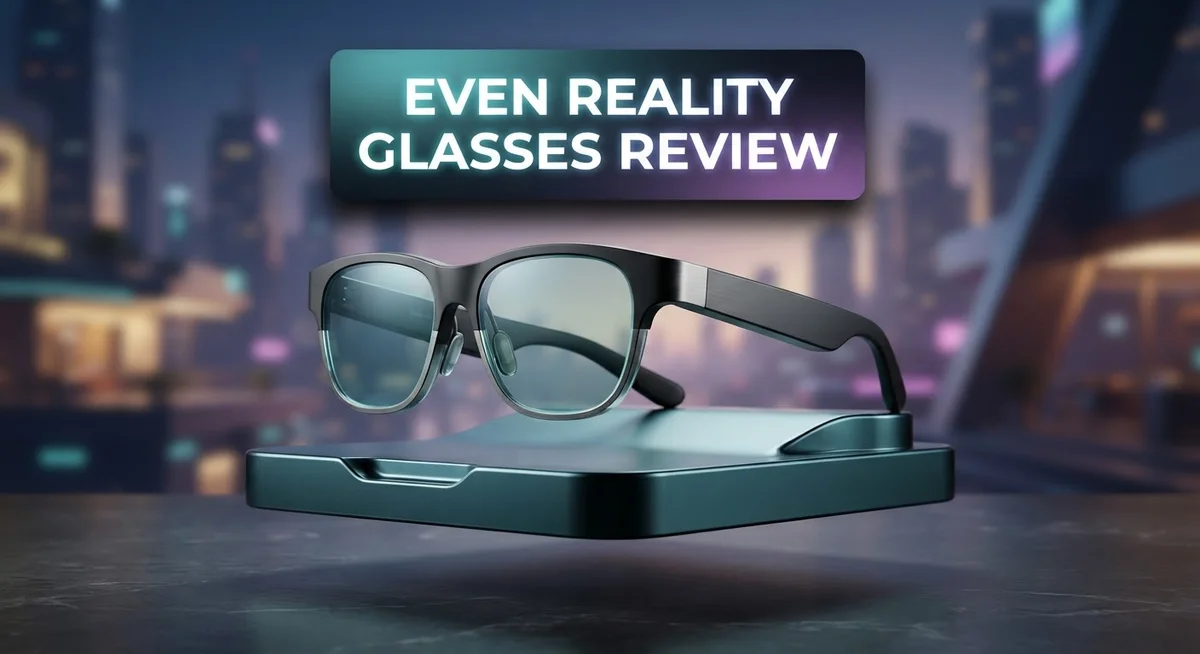
Even Reality Glasses Review: AI-Powered Smart Eyewear Comparison
Smart glasses sound like something from a movie. But Even Reality Glasses bring that idea to life. They look like normal glasses. Yet they pack a tiny display right into the lens.
You get real time translation. You get live transcription. You even get AI prompts that pop up when you need them. It feels like magic at first glance.
The G1 and G2 models both offer this smart HUD experience. The G2 steps things up with a larger and sharper display. Both models keep the frame slim and light looking, thanks to titanium and magnesium builds.
But do these glasses actually work well in daily life? That is the real question. Many users love the AI response speed and smart notifications. Others struggle with comfort during longer wear.
This review breaks down everything you need to know. We will cover comfort, features, and real world performance. You will also see how these glasses compare to big names like Meta Ray-Ban Display and XREAL.
Let’s see if Even Reality Glasses truly live up to the hype.
In a Nutshell
Here’s the quick rundown on Even Reality Glasses before you dive deeper into this review.
-
Build quality feels premium. The frame uses titanium and magnesium. This gives it a sturdy yet lightweight feel on paper.
-
Comfort takes a hit though. Many users report ear pain after wearing these for just a short time.
-
AI response time sits at 3 to 6 seconds. That’s decent, but not instant. You’ll notice the delay during quick tasks.
-
Controls can feel awkward. You basically need the optional R1 Smart Ring to use these glasses smoothly.
-
G2 brings upgrades. The display is larger and sharper compared to the G1 model. Battery life also improves.
-
User satisfaction stays mixed. Some call these glasses restrictive. Others feel the cool features don’t match daily practical use.
This creates a real trade off. You get smart features wrapped in a normal looking frame. But comfort and control issues might affect your daily experience.
Design and Build Quality
Even Reality Glasses come with a titanium and magnesium frame construction. This material choice gives the glasses a sturdy feel in your hands. The frames look like regular eyeglasses, which means you can wear them in public without drawing attention.
The G1 model features a monochrome display. The G2 model steps up the game with a larger and sharper display. Both models maintain that discreet appearance that makes them blend into everyday life. You won’t look like you’re wearing futuristic tech when you put these on.
Weight becomes the main concern here. Users report that these glasses feel heavy during extended wear. Your ears start to hurt after just a short period of time. This is a significant drawback for anyone planning to wear them throughout the day. The comfort issues extend beyond just weight too. Many people describe the fit as restrictive, which limits how long you can comfortably keep them on.
The build quality itself feels premium when you first hold them. The materials don’t feel cheap or flimsy. However, that premium construction comes with a trade off. The glasses sacrifice comfort for durability and a polished appearance.
Controls present another design challenge. The buttons and touch surfaces feel awkward to use without the optional smart ring accessory. This means you might need to purchase additional equipment to operate the glasses smoothly. The design doesn’t account for intuitive hand controls on the frames themselves.
The G2 improvements address some concerns from the G1 model. The battery lasts longer, which helps with daily use. The larger display makes reading information easier. Still, the weight and comfort issues remain largely unchanged between both versions.
Overall, the design philosophy prioritizes a normal appearance and premium materials over comfort and practicality. The glasses succeed at looking like regular eyewear. They fail at being comfortable enough for all day wear. This fundamental tension shapes the entire user experience with Even Reality Glasses.

- 【8MP HD Camera & EIS Stabilization】Osawalla smart glasses let you capture first-person photos...
- 【AI Object Recognition & Real-Time Translation】These AI glasses with camera have "Hey Cyan" AI...
Last update on 2026-10-24 / Affiliate links / Images from Amazon Product Advertising API
Key Features and AI Capabilities
Even Reality Glasses pack several AI features that make them stand out. The real star here is the AI ambient prompts function. This feature analyzes what you see and offers helpful suggestions in real time.
The translation capability works instantly. You point at text or listen to speech, and the glasses translate it for you. This happens fast enough for actual conversations. The transcription feature captures everything you hear and converts it to text automatically.
The HUD display shows information directly in your line of sight. You see notifications, captions, and AI responses without looking away. The G2 model improves this with a larger and sharper display compared to the G1. This makes reading text on the screen much easier during daily use.
AI response time matters here. Even Reality Glasses process your requests in 3 to 6 seconds. This feels slow when you need quick answers, but it works for most tasks. The system learns from your habits over time and gets smarter about what you need.
Live captioning is another strong point. If you’re in a noisy environment, the glasses show you what people are saying. This works well for meetings, lectures, or social situations where you struggle to hear.
The AI integration feels smooth overall. The glasses don’t just display information. They actually understand context and adjust what they show you. If you mention a restaurant, the glasses might pull up reviews or directions without you asking.
However, practical utility remains limited despite these cool features. The heavy weight and comfort issues mean you won’t wear them all day. Without the optional R1 Smart Ring, controlling the AI becomes frustrating. You’re stuck using awkward button presses and touch gestures.
The gap between what the AI can do and what you actually want to do in real life is significant. The technology is impressive, but daily usefulness falls short. Most users find themselves reaching for their phones instead of relying on the glasses for their AI needs.
Display Performance and Visual Experience
The display on Even Reality Glasses delivers a clear visual experience, though it varies between the two models. The G1 uses a monochrome display, which keeps things simple and battery efficient. The G2 upgrades to a larger, sharper screen, making text and notifications easier to read during daily use.
Both models project information directly into your field of vision through a HUD interface. This means you see alerts, translations, and captions without looking away from what’s in front of you. The display brightness handles indoor and outdoor environments reasonably well, though sunlight can sometimes wash out the image.
The real strength lies in how the display integrates with the AI features. Live captioning appears instantly on the screen, making conversations accessible. Real time translation displays translated text right in your view, creating a seamless experience for language barriers. You don’t need to pause conversations or pull out your phone.
However, the display experience has limitations. The monochrome G1 feels dated compared to color alternatives from competitors. The G2’s larger screen helps, but some users still find the text size inconsistent across different apps and features. Scrolling through longer content can feel clunky.
The refresh rate keeps up with normal head movements without lag. Response times stay smooth when the AI processes your requests in 3 to 6 seconds. This means the display updates quickly enough to feel natural during use.
One practical issue emerges during extended wear. The heavy frame causes discomfort, which distracts from the visual experience itself. You become more aware of the weight than the quality of what you’re seeing. This comfort problem undermines what could otherwise be an impressive display setup.
The display performs best for quick notifications and short interactions. For longer reading sessions or detailed visual tasks, the experience becomes less enjoyable. The G2’s improvements help, but the overall visual performance feels adequate rather than exceptional when you factor in real world usage patterns.
Top 3 Alternatives
Meta Quest Pro

- Meta Quest Pro unlocks new perspectives in work, creativity, and collaboration.
- Multitask with ease with multiple resizable screens so you can organize tasks, work on new ideas or...
Last update on 2026-10-24 / Affiliate links / Images from Amazon Product Advertising API
The Meta Quest Pro stands out as a powerful option for users who want high-quality VR experiences. This device delivers excellent performance with its dual displays and fast processors. You get smooth gameplay and crisp visuals that make games and apps feel immersive.
The controllers offer precise tracking. You can interact with virtual objects naturally. The device supports hand tracking too, so you don’t always need the controllers. Battery life runs around two hours, which is solid for extended sessions. The headset feels lighter than some competitors, making it comfortable for longer use.
Apple Vision Pro

- CARDBOARD MONKENAUT — Get our best Gorilla Tag bundle yet with this Amazon exclusive deal...
- NEARLY 30% LEAP IN RESOLUTION — Experience every thrill in breathtaking detail with sharp graphics...

Last update on 2026-10-24 / Affiliate links / Images from Amazon Product Advertising API
Apple’s Vision Pro brings a premium experience to spatial computing. This device blends digital content with your physical space in remarkable ways. The high-resolution displays show incredibly sharp details and vibrant colors.
The eye tracking and hand gesture recognition work smoothly. You control everything with natural movements. The device feels responsive and intuitive. It runs powerful apps designed specifically for spatial interaction. The audio system delivers immersive sound that matches the visual experience. Setup is straightforward for Apple ecosystem users.
HTC Vive XR Elite

- Includes Deluxe Pack VR Accessories: VIVE Face Gasket 2.0, VIVE Deluxe Strap, VIVE Temple Clips, and...
- PC Gaming Headset: Bring captivating PC VR games to your all‑in‑one VR headset. Connect to your...
Last update on 2026-10-24 / Affiliate links / Images from Amazon Product Advertising API
The HTC Vive XR Elite combines VR and mixed reality capabilities. This device gives you flexibility to switch between fully immersive experiences and augmented reality modes. The display quality is excellent with good color accuracy and brightness.
The controllers include haptic feedback for realistic interaction. Tracking is accurate and reliable across different environments. The device works well for both gaming and professional applications. Battery performance supports extended use sessions. The build quality feels sturdy and well-made for serious users.
Comfort and Wearability
Even Reality Glasses present a genuine comfort challenge that deserves honest attention. The titanium and magnesium frame construction feels premium in your hands, but this materials choice comes with a significant drawback. These glasses are noticeably heavy, and users consistently report ear pain after short wear sessions.
The weight distribution becomes problematic during extended use. Your ears bear most of the load, which creates discomfort that builds quickly. Some users describe the sensation as restrictive, particularly around the temples. This isn’t a minor inconvenience. It directly impacts how long you can actually wear the glasses before needing to take them off.
The fit itself follows a standard glasses aesthetic, which is positive for appearance. You don’t look like you’re wearing futuristic tech. However, this traditional design doesn’t solve the comfort equation. The frames sit on your face the same way regular glasses do, meaning weight distribution remains uneven.
Wearability extends beyond just comfort. The control system adds another layer of difficulty. Buttons and touch surfaces feel awkward to navigate without the optional R1 Smart Ring accessory. This means your primary interaction method involves fumbling with controls on the frame itself. Reaching for buttons on the sides of your glasses while wearing them requires awkward hand movements.
The G2 model shows some improvement over the G1, particularly in display quality. However, Even Reality didn’t fundamentally redesign the frame to address weight concerns. The larger, sharper display on the G2 comes in a similar overall package.
For practical daily use, comfort matters tremendously. You won’t wear glasses that hurt your ears, no matter how impressive the AI features are. The gap between what these glasses promise and how they actually feel on your face is substantial. Mixed user satisfaction reflects this reality. People appreciate the technology but struggle with the physical experience of wearing them.
If you have a sensitive bridge or ears, proceed carefully. Test these glasses in person before committing to extended use. The premium build quality doesn’t compensate for comfort issues during real world wear.
Controls and Ease of Use
Even Reality Glasses offer straightforward control options, though the experience varies depending on your setup. The basic controls work through voice commands and head gestures built into the device itself. You can navigate menus, activate features, and interact with the AI using natural speech.
The voice command system responds well for most tasks. You speak your request, and the glasses process it within 3 to 6 seconds. This delay feels natural for most users during daily interactions. Head movements let you scroll through notifications and select items without touching anything.
However, control becomes significantly easier with the optional R1 Smart Ring accessory. This ring transforms how you interact with the glasses. You can tap, swipe, and gesture on the ring surface instead of relying solely on voice. Many users find this method more intuitive and faster than voice alone.
Without the ring, controlling the glasses feels restrictive. Voice commands work, but they’re not ideal in quiet environments or public spaces. You might hesitate to speak commands around other people. Head gestures help, yet they’re limited compared to physical input methods.
The learning curve is minimal either way. Most people figure out the basic controls within minutes. The interface design keeps things simple and logical. Menus respond quickly to your inputs.
The real challenge emerges during actual use. Switching between voice, head movements, and notifications requires mental adjustment. You’re constantly shifting attention between what’s on the display and what you’re doing physically. This context switching can feel clunky during extended sessions.
For quick tasks like checking translations or reading captions, the controls feel adequate. For longer interactions or complex operations, the experience becomes less smooth. The glasses shine when you’re using them for passive information delivery rather than active control.
If you plan frequent, hands-free operation, the ring accessory becomes almost essential. Without it, you’ll rely heavily on voice commands, which works but feels less refined. The control system is functional and accessible, yet it lacks the seamless feel of more mature wearable platforms.
Pros and Cons
Pros
- AI integration responds quickly and handles real-time translation plus transcription without noticeable delays
- Design looks like regular glasses, so you won’t draw attention while wearing them
- G2 model delivers a sharper, larger display that improves the visual experience significantly
- Smart notifications and live captioning work smoothly for everyday tasks
- Minimal learning curve means you start using them right away
Cons
- Weight causes ear pain and discomfort after short periods of wear, making extended use difficult
- Controls feel restrictive without the optional R1 Smart Ring accessory, which adds extra expense
- Comfort issues are widely reported by users across both models
- Practical utility gaps exist; the features are cool but don’t always solve real-world problems you encounter daily
Who Should Buy It
Even Reality Glasses work best for specific types of users. You should consider them if you rely on real-time translation during travel or work. The glasses handle language conversion smoothly without noticeable delays. People who attend international meetings or work with multilingual teams find this feature genuinely useful.
Live captioning makes these glasses appealing for people with hearing difficulties. The transcription feature captures conversations accurately in real time. If you need accessibility support, this becomes a practical advantage over standard glasses.
Tech enthusiasts who want AI features in wearable form should take a closer look. The glasses deliver responsive AI integration that feels natural to use. Quick notifications and ambient prompts help you stay informed without checking your phone constantly.
However, comfort concerns matter significantly here. Skip these glasses if you wear glasses for extended periods throughout the day. The weight causes ear pain and discomfort after short wear sessions. People with sensitive ears or bridge pressure issues should proceed carefully. Even the improved G2 model doesn’t fully solve the comfort problem.
You should also consider your control preferences. Without the optional R1 Smart Ring accessory, controlling the glasses feels restrictive. If you prefer hands-free operation or frequent adjustments, the ring becomes almost essential. This adds extra expense to your purchase. Voice commands work well for most tasks, but physical controls feel awkward without the ring.
These glasses suit people who use them for quick tasks rather than all-day wear. Checking translations, reading captions, or getting smart notifications feels adequate. Extended use sessions create discomfort that limits practical daily utility.
Skip these glasses if you need an all-day wearable device. The comfort issues make them unsuitable for people who wear glasses from morning to evening. They work better as a specialized tool for specific situations rather than a general replacement for regular eyewear.
Consider your actual use case before deciding. Will you wear them occasionally for travel and meetings? They make sense. Do you need all-day comfort and functionality? Look at alternatives that prioritize wearability.
Final Verdict
Even Reality Glasses bring genuine innovation to smart eyewear. The technology feels impressive on paper. Real world comfort tells a different story.
Compared to rivals like Meta Ray-Ban Display or XREAL, these glasses stand out for their AI depth. Translation and transcription features feel more advanced than many competitors offer.
However, VITURE Luma Ultra and RayNeo Air 3s Pro focus more on visual display quality. Even Reality leans harder into voice and AI interaction instead of pure screen performance.
This creates a tradeoff buyers must accept. You get smarter software but sacrifice some hardware polish found elsewhere.
Oakley Meta Vanguard and Solos also compete in this space. Neither matches the translation depth found here, but both offer steadier comfort for longer wear.
The core question comes down to priorities. Do you value cutting edge AI features or everyday wearability more?
If AI capability matters most, Even Reality Glasses deliver a strong package. The software feels ahead of many alternatives on the market today.
If comfort and simplicity matter more, other brands might serve you better long term. Extended wear scenarios still favor lighter, simpler designs.
We think these glasses show real promise for future iterations. The foundation here is solid, even if execution needs refinement.
Buyers who understand this tradeoff will likely feel satisfied. Those expecting a flawless daily wearable might feel disappointed instead.
Even Reality Glasses work best as a glimpse into where smart eyewear is heading. They are not quite the finished product yet.
Our final take stays balanced. These glasses reward patient users who enjoy testing new tech.
Casual buyers wanting effortless smart glasses might want to wait for the next version. The vision here is exciting, even if the current form has rough edges.
Frequently Asked Questions
Can I wear Even Reality Glasses all day?
Not really. The weight causes ear pain and discomfort after short wear periods. Most users report that extended use becomes difficult and restrictive. These glasses work best for quick tasks rather than all-day use. If you need a wearable device you’ll wear constantly, look elsewhere.
Do I need the R1 Smart Ring to use these glasses?
The ring is optional but highly recommended. Without it, the controls feel awkward and restrictive. The ring makes navigation and commands much smoother. You’ll have a better experience if you factor this accessory into your decision.
How fast is the AI response?
Even Reality Glasses respond in 3 to 6 seconds. This speed works well for real-time translation and transcription tasks. The AI integration is genuinely capable and responsive for most everyday use cases.
Which model should I choose, G1 or G2?
The G2 model delivers a sharper, larger display that improves the visual experience significantly. If display quality matters to you, G2 is the better pick. The G1 has a monochrome display, which some users find limiting. G2 also features an improved battery compared to the original.
Who should actually buy these glasses?
Tech enthusiasts who want AI features in wearable form should take a closer look. People with hearing difficulties benefit from live captioning. However, comfort concerns matter significantly here. Skip these if you wear glasses for extended periods. Consider your actual use case before deciding. These glasses suit people who use them for quick tasks, not all-day wear.